nonprofits
Fix QuickBooks Coding Errors in Bulk — Without Editing Transactions One by One
We've all been there: you discover that fifty transactions were coded to the wrong program, and QuickBooks wants you to fix them one at a time. CostAllocation Pro lets nonprofit finance teams batch edit QuickBooks Online transactions — so corrections that used to take hours take minutes.
Trusted by




nonprofits
Why QuickBooks Transaction Errors Are So Painful to Fix
QuickBooks Online is a powerful tool for nonprofit accounting — but it wasn't designed with mass transaction corrections in mind. When a grant manager uses the wrong class for two months of expense entries, or when a new program code is added mid-year and old transactions need to be recoded, you're looking at a manual correction process that can take an entire workday. For nonprofits under time pressure at month-end or grant reporting deadlines, that kind of rework is genuinely painful. And when the errors touch transactions that have already been allocated, you're not just fixing the coding — you're also re-running your allocations, which compounds the problem.
Powerful Features. Built To Save Time.
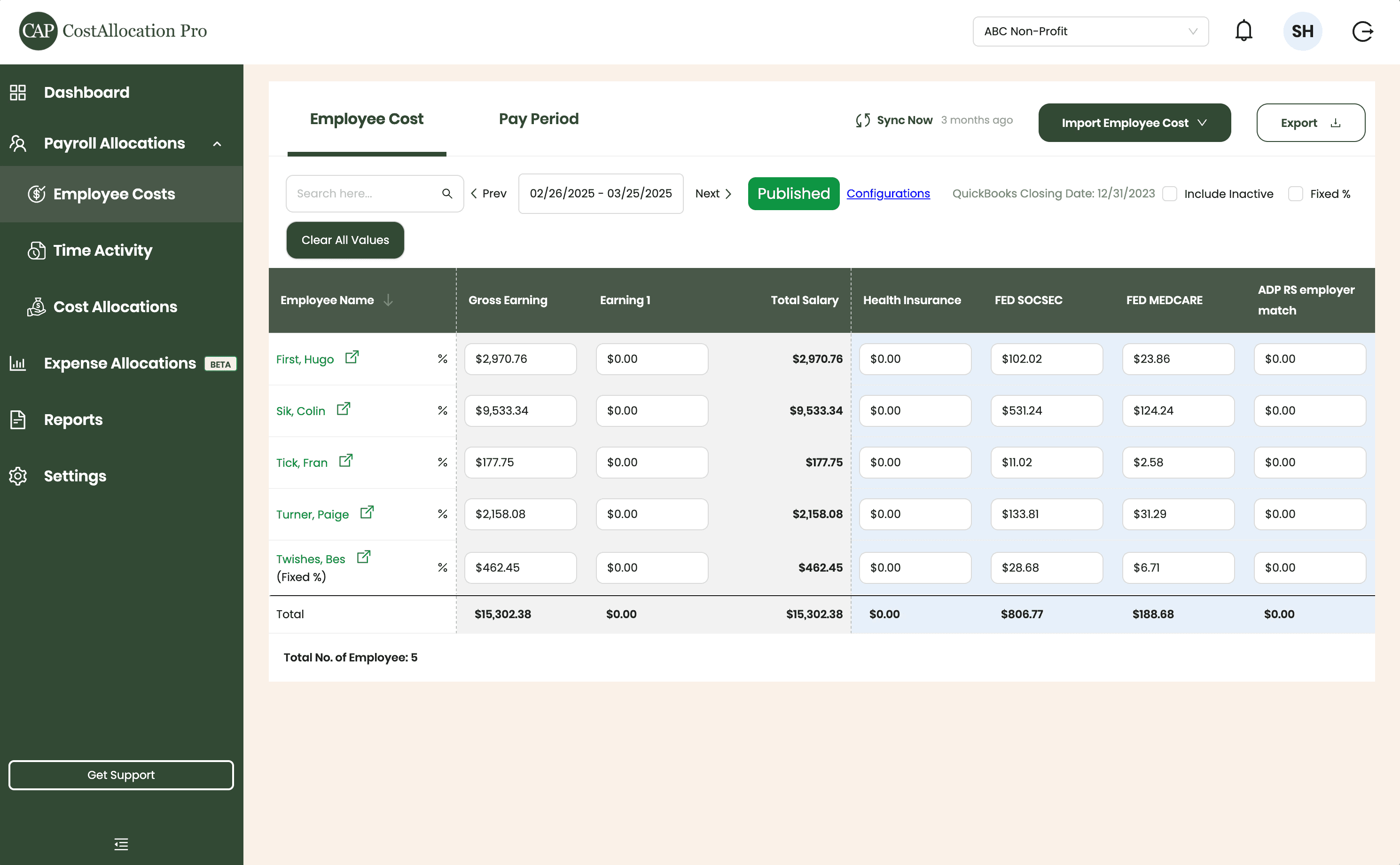
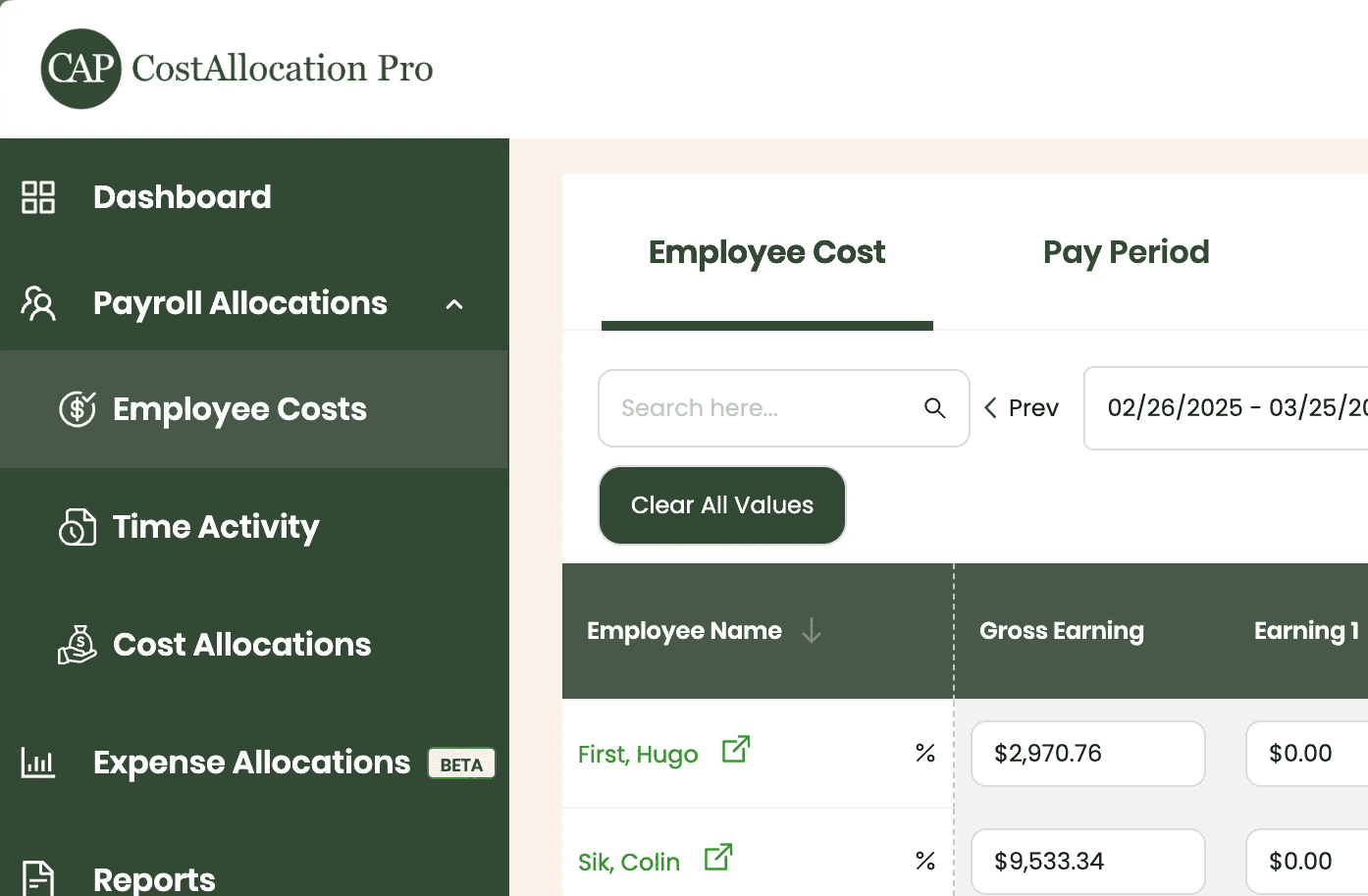
Employee Costs
Easily upload employee cost data from any payroll provider. Just import a .csv file from your payroll report, and we’ll handle the rest.
First, Hugo
$2,970.76
$350.00
$102.02
$23.86
Sik, Colin
$9,533.34
$450.00
$531.24
$124.24
Tick, Fran
$177.75
$500.00
$11.02
$2.58
Turner, Paige
2,158.08
$250.00
$133.81
$31.29
Twishes, Bes
$462.45
$175.00
$28.68
$6.71
Employee Name
Gross Salary
Health Insurance
Social Security
Medicare
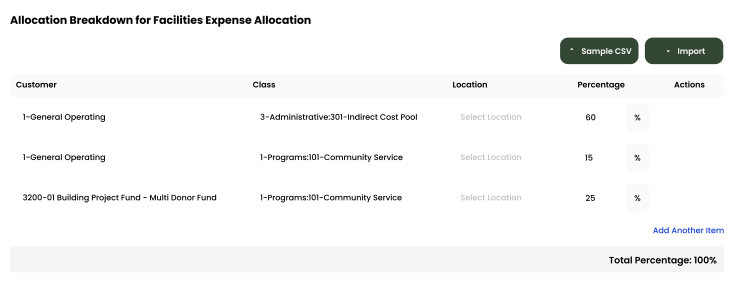
Expense Allocations
Apply your predefined allocation percentages and post to QuickBooks with a single click.
Time Activity
Sync employee time directly from QuickBooks, or import a .csv from any time-tracking system—whichever works best for you.
Employee
Customer
Hours
Turner, Paige
1-General Operating Fund
1:00
Twishes, Bes
GOLD Grant-BG12546347
8:00
First, Hugo
Big Grant
8:00
First, Hugo
Big Grant
4:00
First, Hugo
TN Grant (10/22-9/23)
2:00
Twishes, Bes
Public Health Workforce
Contract-#124578
6:00
Turner, Paige
1-General Operating Fund
1:00
Download Attachments
Filter and select transactions, export their attachments, and download everything neatly organized by vendor—no extra sorting required.
Automate Journal Entries
Import your employee time and CostAllocation Pro automatically calculates payroll allocations, creates the journal entry, and lets you publish directly to QuickBooks Online.
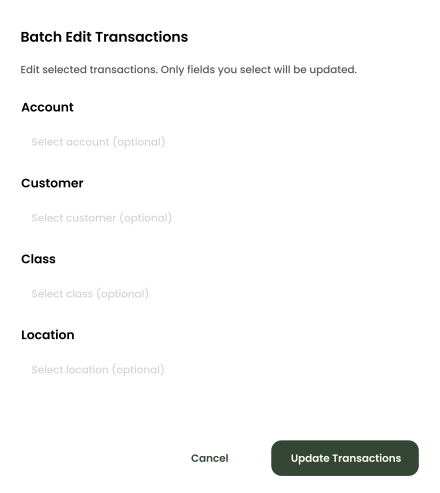
Batch Edit
Use custom filters to quickly find the transactions you need. Select any group of entries to reclassify accounts, customers, classes, or locations—and your updates sync instantly to QuickBooks Online.
nonprofits
Batch Edit QuickBooks Transactions in Minutes
CostAllocation Pro gives nonprofit finance teams the ability to select multiple QuickBooks Online transactions and update them in bulk — changing classes, customers, account codes, or locations across dozens or hundreds of transactions at once. You filter the transactions you need to fix, make the change once, and apply it across the entire selection. What used to take an afternoon takes ten minutes. And because CostAllocation Pro integrates directly with QuickBooks Online, the corrections post directly to your general ledger — no import, no export, no reconciliation required.
Fix Dozens of Transactions at Once
Select the transactions that need correction, make the change once, and apply it across the entire selection. Class codes, account codes, locations — updated in bulk and posted directly to QuickBooks.
Month-End Corrections in Minutes, Not Hours
When a coding error touches dozens of transactions, fixing them one by one in QuickBooks is a half-day job. CostAllocation Pro turns it into a fifteen-minute task.
Clean Books Before Grant Reporting
Batch editing gives your team a practical tool for grant closeout recoding, year-end cleanup, and any situation where a group of transactions needs a consistent, fast update.
nonprofits
Cleaner Books Without the Manual Cleanup
Beyond fixing errors, batch editing gives nonprofit finance teams a powerful tool for end-of-year cleanup, grant closeout coding, and any situation where a large group of transactions needs a consistent update. When a grant ends and you need to move remaining expenses to the right closeout codes, batch editing makes that a fast, clean process. When you're preparing for an audit and discover a systematic coding error, you can fix it quickly and completely without disrupting your month-end close. CostAllocation Pro helps your team maintain clean books — not just at year-end, but every month.
Correcting QuickBooks coding errors one transaction at a time is one of the most frustrating and time-consuming tasks in nonprofit finance — and it's completely avoidable.
See how nonprofits are using batch editing to keep their QuickBooks Online books clean without spending hours on manual corrections.
nonprofits
Choose the best Plan that suites you
Monthly
Yearly
Save 20%

Standard
Essential finance tools for budgeting and expense tracking.
$50
$40
/month
Automate Journal Entries
Import Employee Costs from any Payroll Processor
Company Selector for Multiple QuickBooks Online accounts
Email Support
nonprofits
Common questions with Clear answers
What fields can we batch edit in QuickBooks Online?
CostAllocation Pro supports batch editing for account codes, classes, customers, and location fields in QuickBooks Online. If you're unsure whether the fields you need are supported, reach out and we'll walk you through it.
Can we undo a batch edit if we make a mistake?
We always recommend reviewing your selection carefully before applying a batch edit. Because batch edits post directly to QuickBooks Online, they follow the same correction process as any other QuickBooks transaction — you would need to run another batch edit to reverse the change. The good news is that running a correction batch edit is just as fast as the original.
How quickly can we get up and running?
Most nonprofits complete initial setup within a few hours.You connect your QuickBooks Online account, define your allocation methodology and bases, and run your first allocation. Most teams complete their first automated month-end close in the same month they sign up — and wonder why they waited so long.