nonprofits
Payroll Allocation Doesn't Have to Be the Hard Part of Your Month-End Close
For most nonprofits, payroll is the largest expense — and allocating it correctly across programs and grants is one of the most time-consuming parts of the month-end close. CostAllocation Pro assists with payroll allocations inside QuickBooks Online so your methodology stays consistent and your team isn't drowning in timesheets.
Trusted by




nonprofits
The Real Cost of Manual Payroll Allocation at Nonprofits
Payroll allocation sounds straightforward until you're actually doing it. You're pulling timesheet data, calculating percentages by program, making sure fringe benefits follow salaries, and then double-checking that everything reconciles back to your general ledger — all before the books can close. For nonprofits with multiple federal awards, this process needs to be consistent and well-documented. Under 2 CFR 200, payroll charges to federal grants must be based on documented, consistently applied methodology. When that methodology lives in a spreadsheet, one error or one inconsistent month can create an audit finding that puts funding at risk. There's a better way to handle this — and it doesn't require replacing QuickBooks.
Powerful Features. Built To Save Time.
Employee Costs
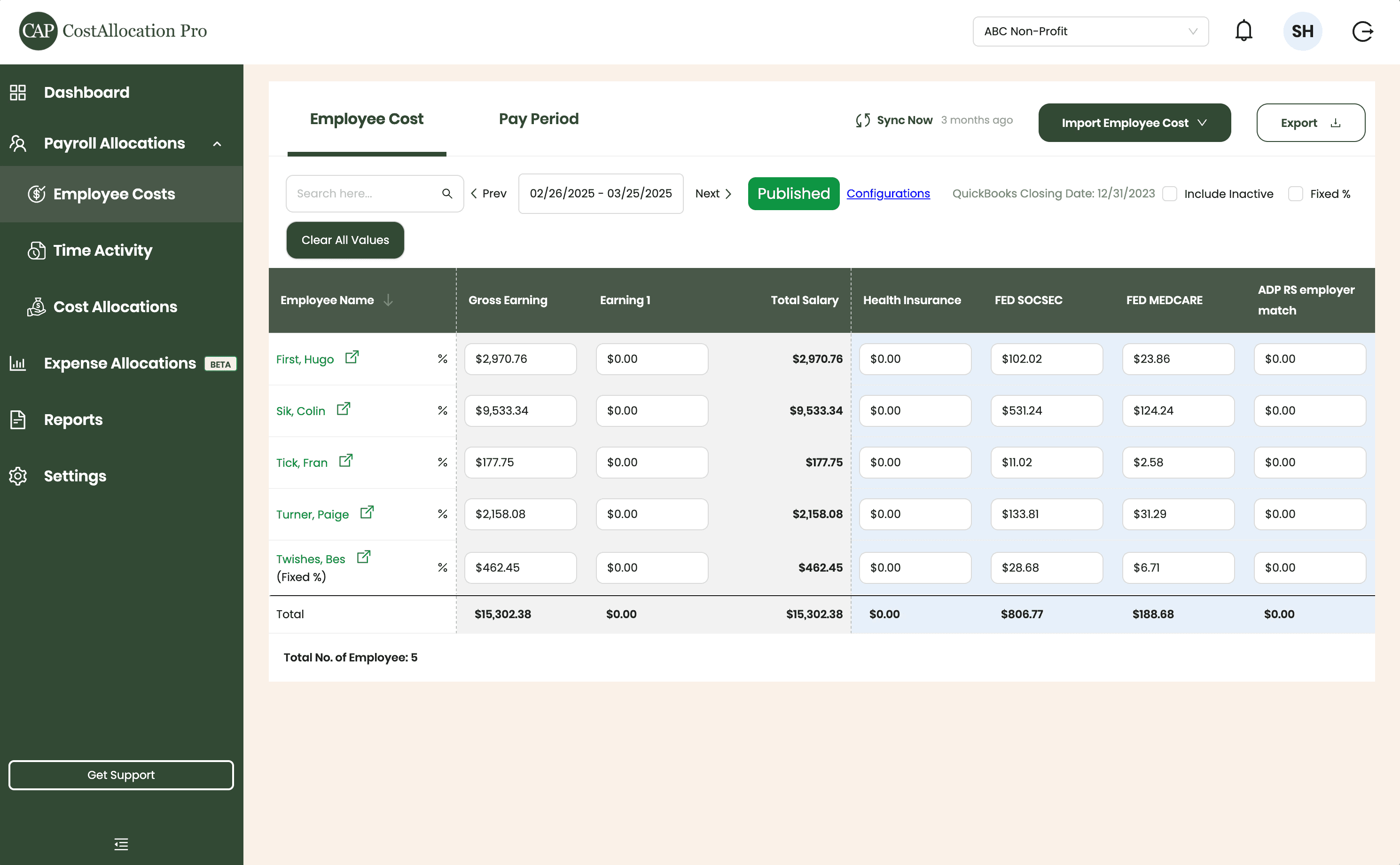
Easily upload employee cost data from any payroll provider. Just import a .csv file from your payroll report, and we’ll handle the rest.
First, Hugo
$2,970.76
$350.00
$102.02
$23.86
Sik, Colin
$9,533.34
$450.00
$531.24
$124.24
Tick, Fran
$177.75
$500.00
$11.02
$2.58
Turner, Paige
2,158.08
$250.00
$133.81
$31.29
Twishes, Bes
$462.45
$175.00
$28.68
$6.71
Employee Name
Gross Salary
Health Insurance
Social Security
Medicare
Expense Allocations
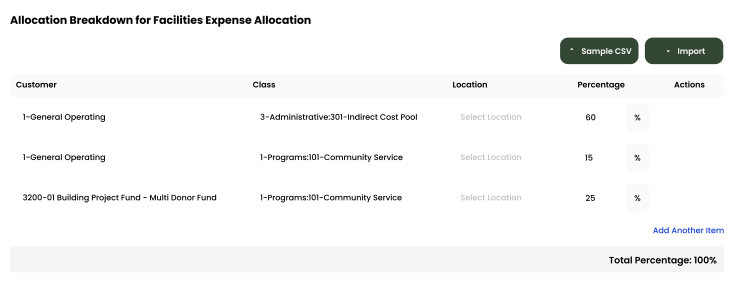
Apply your predefined allocation percentages and post to QuickBooks with a single click.
Time Activity
Sync employee time directly from QuickBooks, or import a .csv from any time-tracking system—whichever works best for you.
Employee
Customer
Hours
Turner, Paige
1-General Operating Fund
1:00
Twishes, Bes
GOLD Grant-BG12546347
8:00
First, Hugo
Big Grant
8:00
First, Hugo
Big Grant
4:00
First, Hugo
TN Grant (10/22-9/23)
2:00
Twishes, Bes
Public Health Workforce
Contract-#124578
6:00
Turner, Paige
1-General Operating Fund
1:00
Download Attachments
Filter and select transactions, export their attachments, and download everything neatly organized by vendor—no extra sorting required.
Automate Journal Entries
Import your employee time and CostAllocation Pro automatically calculates payroll allocations, creates the journal entry, and lets you publish directly to QuickBooks Online.

Batch Edit
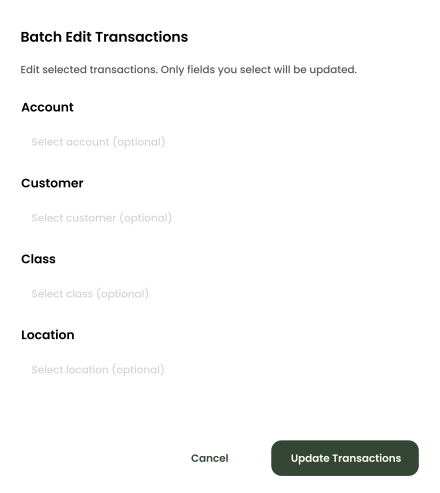
Use custom filters to quickly find the transactions you need. Select any group of entries to reclassify accounts, customers, classes, or locations—and your updates sync instantly to QuickBooks Online.
nonprofits
How CostAllocation Pro Automates Nonprofit Payroll Allocations
CostAllocation Pro connects to your QuickBooks Online account and automates payroll allocations based on your defined methodology — whether that's percentage of effort, hours worked by program, or a custom allocation rate. Fringe benefits follow salaries automatically. Each employee's compensation is allocated across programs and grants using the rules you've configured — without manual calculation. Your finance team defines the rules once, and the software applies them consistently every single pay period and every month-end. No more pulling spreadsheets together at the end of the month. No more worrying about whether this month's methodology matches last month's.
Payroll Allocated to the Right Programs
Define how each employee's compensation is distributed across programs and grants. CostAllocation Pro applies those rules automatically every pay period — fringe benefits included.
Fringe Benefits Follow Salaries Automatically
Stop calculating fringe benefit allocations manually. When salary is allocated to a program, associated benefits — health, retirement, payroll taxes — follow at the right rates without any extra steps.
A Consistent Record for Every Grant
Every payroll allocation is applied the same way, every month. Your finance team can show exactly how labor costs were distributed across awards — clearly and without scrambling.
nonprofits
Payroll Allocations That Are Consistent and Documented Every Month
When a federal auditor reviews your payroll charges, they're looking for two things: accuracy and consistency. CostAllocation Pro gives you both. Every payroll allocation is based on the same documented methodology, applied automatically, every month. Your program directors can see exactly how their staff time is being allocated. Your finance team can close the books without a week of manual reconciliation. And when audit season comes around, you have a clean, consistent record of how every payroll dollar was allocated across your grants and programs — no scrambling, no explanations required.
Payroll is your largest expense, and allocating it manually every month creates both audit risk and unnecessary stress for your finance team.
See how nonprofits are automating payroll allocations across programs and grants — without adding complexity to QuickBooks Online.
nonprofits
Choose the best Plan that suites you
Monthly
Yearly
Save 20%

Standard
Essential finance tools for budgeting and expense tracking.
$50
$40
/month
Automate Journal Entries
Import Employee Costs from any Payroll Processor
Company Selector for Multiple QuickBooks Online accounts
Email Support
nonprofits
Common questions with Clear answers
Does CostAllocation Pro handle fringe benefit allocations too?
Yes — fringe benefits follow salary allocations automatically. When you allocate an employee's salary across programs, CostAllocation Pro applies the same allocation to associated fringe benefits including health insurance, retirement contributions, and payroll taxes.
Can we use different allocation methods for different employees?
Absolutely. CostAllocation Pro supports multiple allocation methods within the same organization. Some employees might be allocated by percentage of effort, others by tracked hours, and others by a fixed rate. You define the methodology for each employee and the software applies it consistently every month.
What if our allocation percentages change from month to month?
CostAllocation Pro makes it easy to update allocation percentages when they change — for example, when a new grant starts or an employee shifts programs. You update the allocation once, and the software applies the new percentages going forward. Previous months remain unchanged, giving you a clean audit trail of how allocations evolved over time.