Automate Labor Burden and Job Costing for Construction Firms
CostAllocation Pro eliminates manual journal entries by automatically calculating and posting labor burden allocations to the right jobs and cost codes in QuickBooks Online.

How it works
Calculating loaded labor rates and posting job cost journal entries manually each pay period takes hours — and a single error throws off your WIP schedule.
Tracking labor burden (payroll taxes, workers' comp, benefits) across multiple active jobs in QuickBooks requires complex manual allocations most firms just skip.
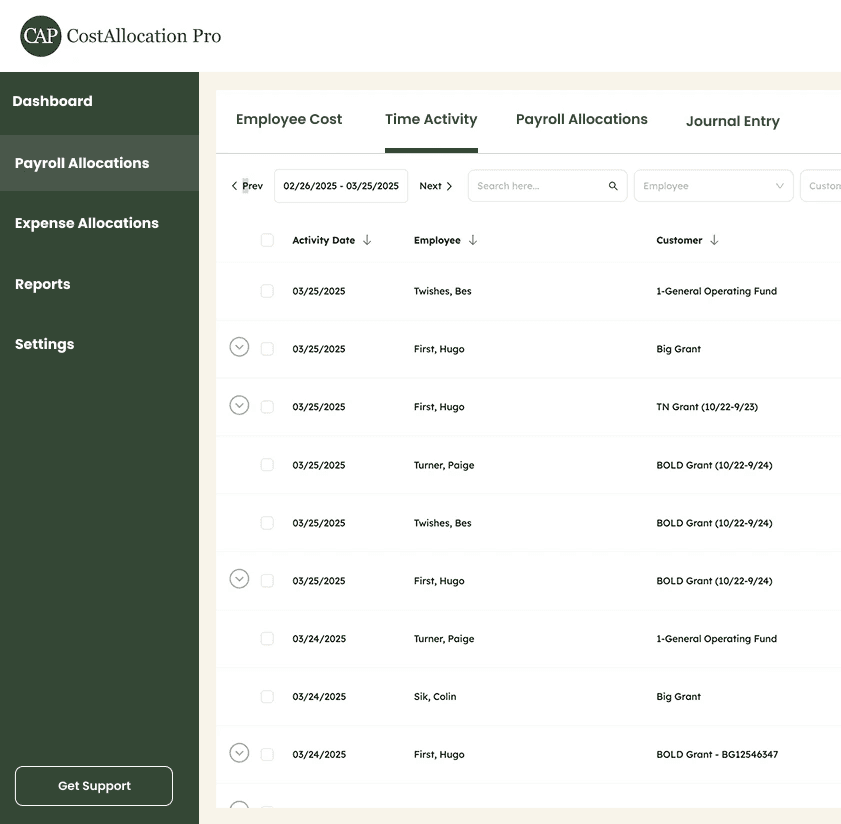
Labor Burden Allocation by Job
Automatically calculate and allocate payroll taxes, benefits, and workers' comp to the correct job in QuickBooks. See your true loaded labor cost on every project.
Customer
Harbor View Condos LLC
Maplewood School
Riverside Office
Fork Creek Dr.
Railroad House
Tanner Apartments
Cost Code–Level Tracking
Map employee costs to specific cost codes within each job, so your job cost reports reflect exactly where labor dollars are being spent.
Indirect Cost Rate
10%
Fringe Benefit Rate
15%
Overhead Cost Rate
8.5%
Any Payroll Processor
Works with any payroll system. Import a CSV from your payroll report and CAP handles the rest — no integration setup required.








FAQ
Can CostAllocation Pro allocate labor burden to specific jobs and cost codes?
Yes. You can map each employee's costs to one or more jobs and cost codes using time data or percentage-based rules. Labor burden (taxes, benefits, insurance) is calculated and allocated automatically.
How does CAP help keep our WIP schedule accurate?
By posting detailed labor burden journal entries directly to QuickBooks, CAP ensures job costs are up to date every pay period — so your WIP schedule reflects real costs, not estimates.
Do we need to change our payroll processor to use CostAllocation Pro?
No. CostAllocation Pro works with any payroll system via CSV import. If you switch processors in the future, CAP will work with your new one too.
Pricing

